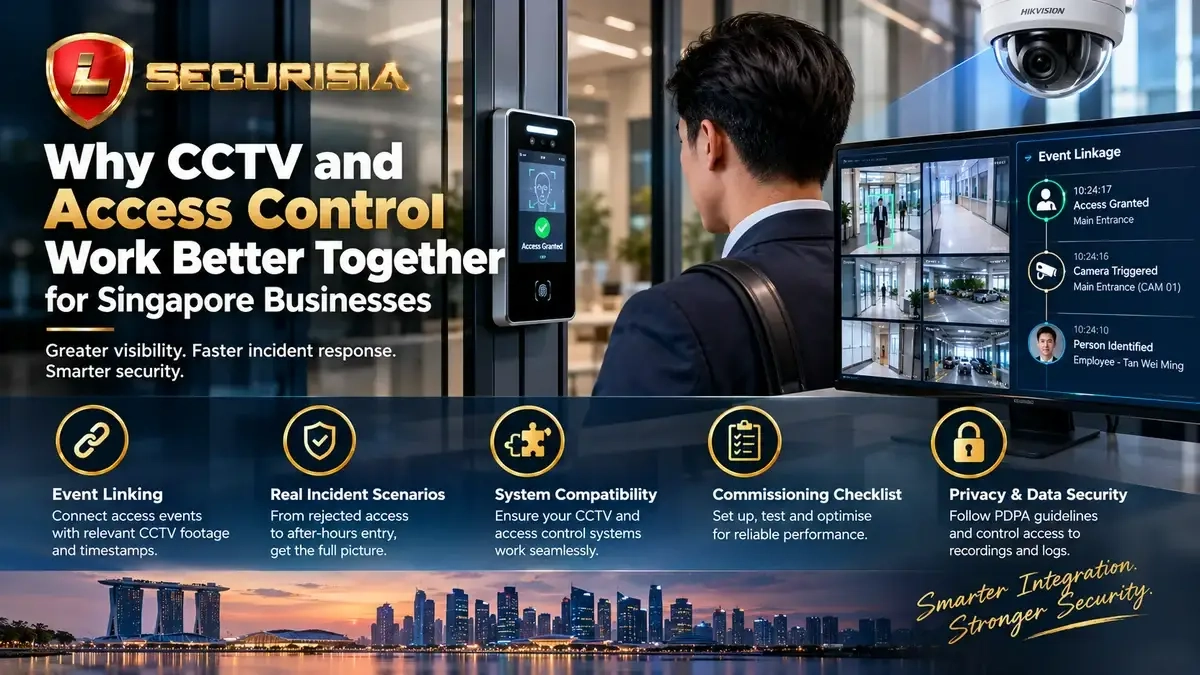
The value of integrating CCTV and door access control is not simply having two systems on one site. It is being able to connect a specific door event to the most relevant video, review what happened in context and make the right operational decision.
An integrated system may link events such as granted or denied access, door forced open and door held open with associated camera views. The exact events available depend on the door controller, sensors, video management system and integration supported by the equipment.
1) What CCTV and access control integration actually means
A door access system records credential and door events. CCTV records video from the relevant area. Integration connects these sources so an operator can jump from an event log to the camera view or recorded clip covering the same moment.
Without integration, staff may need to find a door event in one application, note its timestamp, open another application and search the timeline manually. With a compatible integration, the operator may be able to select an event and open linked footage directly. Some platforms offer a shared interface; others provide only a limited event link or require a separate workflow.
This article focuses on that event-to-video workflow. For a broader comparison of cards, PINs, fingerprint and facial recognition, see our door access system selection guide.
2) How event-to-video linking works
- A door event occurs. The controller or door sensor records a supported event, such as access granted, access denied, door forced open or door held open.
- The event is passed to the integration. The access controller or management software sends the event to the compatible video platform using the supported interface or protocol.
- The system maps the event to a camera. The configured door is associated with one or more nearby cameras and, where supported, a pre-event/post-event clip.
- An operator checks the footage. The reviewer examines the clip and surrounding context alongside the event record before deciding what action is appropriate.
Accurate time synchronisation is important. If the controller, recorder and cameras have different clock settings, the linked clip may show the wrong moment even when the integration itself is functioning.
3) Practical scenarios where integration helps
| Event or situation | What the access system provides | What linked CCTV adds |
|---|---|---|
| Repeated denied entry | Time, door and credential event where supported | Context around the reader, approach and surrounding activity |
| Door forced open | Door-contact or controller alarm, if fitted and configured | Video of the doorway and approach, subject to camera view and recording availability |
| Door held open | Door status and duration where the hardware supports monitoring | Review of whether the door was left open for a legitimate reason or needs follow-up |
| After-hours entry | Entry event and configured user schedule | Review of movement at the door and nearby area |
| Delivery or contractor visit | Credential or visitor event, depending on the workflow | Context for the handover, arrival or departure |
These are examples, not guaranteed features. A denied-access event does not by itself prove wrongdoing; a granted credential does not prove that the assigned individual personally passed through the door. Tailgating detection or door-held-open alarms require suitable sensors, analytics and configuration, where available.
4) What to check before integrating different systems
Do not assume that every access controller can integrate with every recorder or video management platform. Confirm the following before committing to a design:
- Compatibility: check the exact controller, recorder, VMS software and firmware versions against the vendor's supported integration options.
- Event support: confirm which events can be passed through, including access granted/denied, door contact, forced-open and held-open states.
- Camera mapping: assign each controlled door to the correct camera or group of views; check that the angle shows useful context.
- Recording availability: make sure the recorder retains the footage long enough for the site’s investigation needs and can retrieve it at the required quality.
- Network and licensing: confirm software licences, API or integration modules, network access and any required interface hardware.
- Time synchronisation: configure a consistent time source where supported and verify the displayed time on each system.
- Permissions: decide who can see access events, open live views, search recordings and export clips.
When requesting a quotation, provide the brands and model numbers of your existing recorder, cameras, access controller and door hardware. This helps determine whether native integration, an additional module or a separate event-to-video workflow is feasible.
5) Commissioning checklist: test the real workflow
Integration should be tested at the door and in the operator’s application—not just marked as connected. During commissioning, check:
- Each important door appears with the correct name and location.
- Permitted and denied access events are recorded as expected.
- Door forced-open and held-open events work only where the relevant sensor and feature are installed and configured.
- Selecting an event opens the correct camera and relevant recording time, if supported.
- Controller, recorder and camera timestamps agree closely enough for practical review.
- Footage can be searched, played back and exported by authorised users.
- Access permissions, user accounts and remote access are tested before handover.
- The site team knows what to do if the network, recorder or integration service becomes unavailable.
6) Common integration failures and how to diagnose them
The event appears, but no footage opens
Check that the event is mapped to the correct camera, the recorder has footage for that time and the integration account has permission to open the recording. A camera may be visible live but not recording reliably.
The clip opens at the wrong time
Check time zones, daylight-saving settings where relevant, device clocks and network time synchronisation. Also confirm whether the interface uses the event time or a configured clip offset.
Some door alarms are missing
Check the door contact, controller configuration, event filter, integration mapping and whether the selected hardware exposes that event type. Not every system forwards every event by default.
Two brands do not integrate as expected
Check the manufacturer's compatibility documentation and the exact hardware/software versions. An ONVIF-compatible video stream, for example, does not automatically mean every access event or advanced integration function is supported.
7) Privacy, access permissions and incident records
Video and access logs may contain information about identifiable staff, visitors and contractors. Decide why each data source is needed, limit access to authorised personnel, protect accounts and exports, and set a retention period based on operational needs and applicable obligations. Follow the organisation’s policies when preserving footage relevant to an incident, audit or legal hold.
For Singapore organisations, refer to the PDPC guidance on data protection obligations. The appropriate controls depend on the purpose and context of your deployment; this article is general information, not legal advice.
8) When is integration worth considering?
Integration is most useful when a site has important restricted doors, frequent access events, multiple entry routes or a need to investigate issues without manually searching across separate applications. A small site with few controlled doors may need only a simple workflow, while larger offices, warehouses or multi-site businesses may benefit from more centralised event and video review.
The goal is not to connect every device at any cost. The goal is to reduce the time between noticing an event and finding the relevant evidence, while keeping the system maintainable and easy for authorised staff to operate.
Frequently asked questions
Can CCTV and access control from different brands work together?
Sometimes. Compatibility depends on the exact models, software versions and supported integration method. Confirm event support and test the intended workflow before purchase or deployment.
Does integration automatically detect tailgating?
No. Basic event-to-video linking does not automatically detect tailgating. That may require suitable hardware, video analytics and configuration, and any alert should be reviewed in context.
Will integration keep footage for longer?
No. Integration does not itself increase recording capacity. Retention still depends on disk capacity, camera count, bitrate, recording schedule and other settings.
Can existing cameras be reused?
Possibly, if the cameras, recorder and video platform meet the requirements of the intended integration. A model and configuration check is needed first.
Lion Securisia can review your existing equipment, door events, camera views and incident-review workflow, then advise what integration options are suitable for your site.